
Make Sure Your Japan Ticket App Works Before You Arrive
No SMS errors. No app failures. No entry problems.
We help you correctly set up and verify your Japanese ticket apps — so your tickets open and scan properly in Japan.
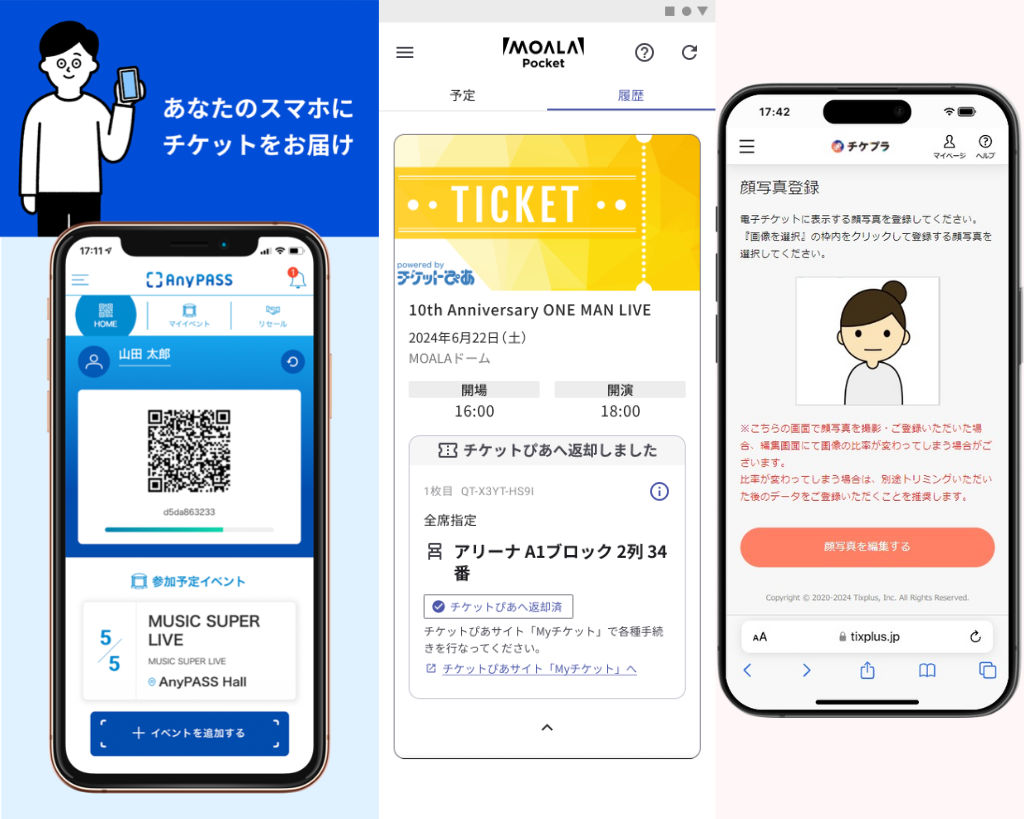
(Supported apps: AnyPASS, TixPlus JP, MOALA Ticket
Many foreign tourists buy event tickets through official Japanese apps such as AnyPASS, TixPlus JP, or MOALA Ticket, or receive tickets via transfer. These apps are designed for Japanese users and often fail for tourists due to SMS verification issues, SIM card changes, device restrictions, or transfer rules. Tourists arrive in Japan owning valid tickets but are unable to open them inside the app — resulting in missed events and wasted money.
The Japan E-Ticket App Setup Service prevents this situation before you travel. We analyze your phone, SIM, and ticket app setup using a guided system and provide you with a personalized Do & Don’t checklist to ensure your ticket app works correctly on arrival. If problems appear, optional troubleshooting support is available so you can fix them before your trip.
Foreign Tourist Issues (We Cover Them All)
SMS verification fails with foreign phone numbers
App login blocked after SIM change
Tickets locked to the original buyer’s phone
App only works on one device
Transfer process confusing or incomplete
Region or store restrictions when installing apps
Official FAQs too generic
YouTube videos not matched to your phone model
High risk of entry denial at the gate
No help in English when app breaks
What This Service Covers
Correct App Installation & Login
Step-by-step setup for AnyPASS, TixPlus JP, and MOALA Ticket.Device & SIM Compatibility Check
Identify problems caused by foreign SIMs or eSIMs.Ticket Transfer Readiness
Confirm your ticket can appear correctly in your app.Personalized Do / Don’t Checklist
What actions will break your ticket and what to avoid.Optional Async Troubleshooting Session
One support session if setup problems remain.
What You Receive
Personalized setup instructions
Reduced risk of ticket access failure
Clear Do & Don’t list
Confidence your ticket will scan properly
Optional expert troubleshooting
Pricing & Payment
$49 — Guided Self-Serve + Personalized Checklist
Setup instructions
Device & SIM analysis
Custom Do & Don’t list
$79 — Includes 1 Async Troubleshooting Session
Everything above
One support response if problems occur
If you have any questions before buying service, kindly contact us.
How It Works
Step 1: Submit Your Ticket & Phone Info
App type, event name, phone model, and SIM details.
Step 2: Receive Your Setup Guide
We generate your personalized checklist and instructions.
Step 3: Optional Troubleshooting
If something doesn’t work, use your included support session.